

While I had some cursory knowledge about digital collections and exhibits, it was great to take this week’s topic as an opportunity to really dig into what goes into making them work well. In her article “Doing Digital Art History in a Pre-Columbian Art Survey Class: Creating an Omeka Exhibition Around the Mixtec Codex Zouche-Nuttall,” Lauren G. Kilroy-Ewbank very clearly lays out her thought processes for why Omeka is such a great tool for teaching her undergraduate students how to think on a deeper level about both the Mixtec Codex Zouche-Nuttall and the ways in which its presentation affects its meaning. The codex’s nonlinear and non-textual narrative is uniquely suited to the benefits a digital exhibit can offer; it is a highly visual and modular presentation method. Pieces are easily rearranged, recontextualized, annotated, described, and compared. Working in Omeka right off the bat, while sometimes challenging for her students, also acts as a digital veil-lifting of sorts; as beginner students of art history, it is likely that many of these students have done most of their artwork viewing digitally. By having students investigate and explore metadata on their own, it immediately becomes apparent that everything they had seen about artworks online previously has been highly constructed, and suddenly every decision made from the classification of the object down to the digitized image itself becomes apparent. I had never thought about using this process as a pedagogical tool, but Kilroy-Ewbank makes an excellent case for using this type of digital curation to teach both textual and metatextual readings of artwork.
We also took a look at the William Blake Archive, which is a digital collection of both the poetry and visual art of William Blake maintained by the UNC Chapel Hill Libraries and ITS. The site contains both a searchable/browsable collection of his works as well as curated exhibitions with interpretive commentary from scholars. This archive is laid out very thoughtfully, and I particularly enjoyed looking at the documentation for the project! I had never seen a project lay out their past and present standards so clearly before, which is a shame because transparency is something that many archives are trying to improve. Not only does transparency help other institutions and collections know what you have (and its quality) so that your collection can be advertised via word of mouth, it helps build trust from your users when they can see how you decide what should be included in the collection and who took part in that decision-making. I also thought that the interface was well-chosen since it allows the user to toggle between written and visual information via a “gallery” and “reading” mode. When viewing a piece, the list of related pieces (with thumbnails) in that same series is also available below the main image viewer.
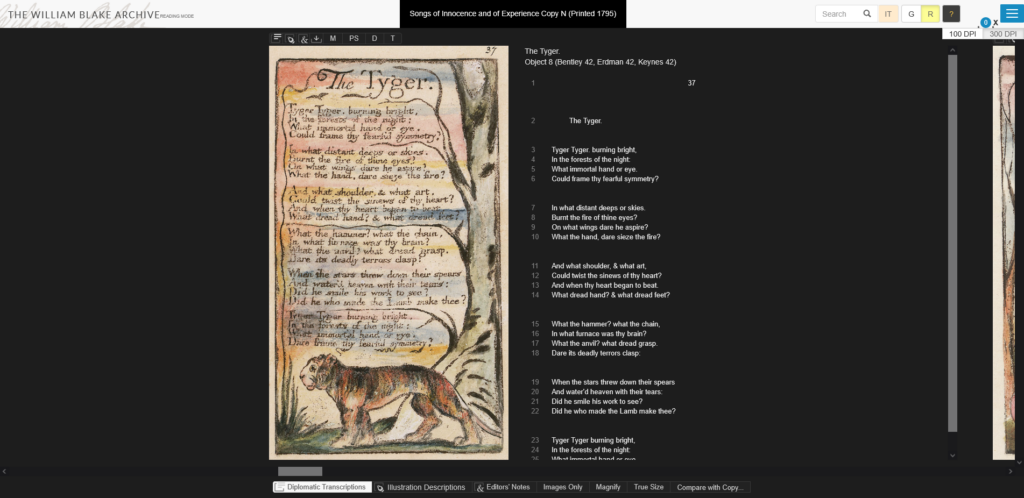
And, to make comparison even easier, the site has a lightbox feature! After hearing about how the lightbox of slides is a dying method of building theses in art history, I appreciated that the developers of this site still saw its value. Of course, it’s not a perfect site by any means (some of the dropdown menus could be better streamlined, etc), but as far as a custom-built interface for a narrowly-focused collection goes, this was a good one. I feel like I’m always saying that whenever anything isn’t tailor-made to a collection, no matter whether it’s something technical like a collection interface or something more bureaucratic like policy, it definitely shows. And while I’m not a scholar of William Blake, I can easily see how this resource would be a staple reference to return to.
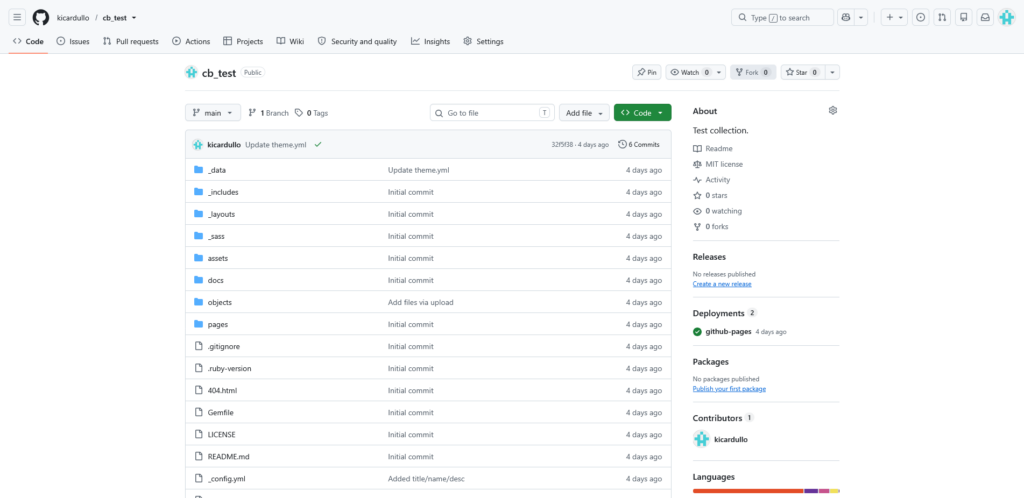
After looking more deeply at what makes a good digital tool, we also started out on our first project: to make our own mini-exhibit in CollectionBuilder. I had heard of CollectionBuilder before, and it was actually a system we had considered using in my practicum project (organizing, cataloging, and partially scanning hundreds and hundreds of slides encompassing 50+ years of work from Chapel Hill-born photographer Avery Danziger) but ultimately decided not to use because we didn’t believe it would be sustainable long-term for the artist to run on his own (and he preferred an offline system). I somewhat regret that now after seeing how easy it is to build, and it would have worked great with his goals of being able to view his work by subject, date, and location! I was kind of shocked at how easy it was- all you really have to do is have a GitHub account, make a copy of the template containing the source code and file directory, and link up a google spreadsheet to let that data populate on the site. It’s pretty difficult to mess up, and you don’t need to do a ton of ground-up web design to make it usable- plus it’s even open source! The basic template allows for browsing by a number of different methods (via map, subject, date, and even just in a list), which is a feature I have particularly appreciated on all of the collection interfaces I’ve found to be successful. No gimmicks, just clear, thorough metadata that offers a few predetermined ways of getting a collection overview. So, in a user experience sense, I really like CollectionBuilder.
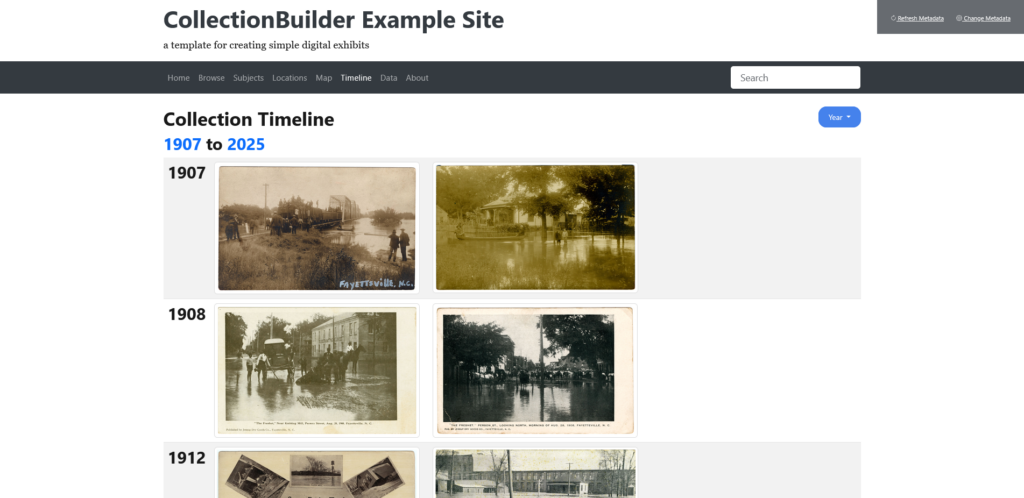
I do, however, see a few drawbacks with it. Firstly is that it is entirely dependent on GitHub, which is a for-profit company now owned by Microsoft. If you know anything about digital preservation, you know that this can put a huge wrench in longevity plans- it’s unclear how long Microsoft will continue to support GitHub or what would happen to it if Microsoft decided to abandon the site. It seems to be safe for the foreseeable future because it is a massively popular code repository (that even a lot of digital preservation tools are hosted on!), but as with anything for-profit, longevity is not guaranteed. Secondly, without coding experience, it can be difficult to change the basic template sites to something custom. From what I understand from looking at the documentation (I am not a code-minded person!), the benefit of using Jekyll as a basis for your site is that it takes a lot of the work out of coding an HTML site from scratch by using layouts and modular blocks. This is both a pro and a con- it’s fool-proof to use, but ultimately you’re kind of limited by what you’re given to work with.
As I work more in CollectionBuilder this week, I’ll be curious to see how my opinion changes!
Kilroy-Ewbank, Lauren G. “Doing Digital Art History in a Pre-Columbian Art Survey Class: Creating an Omeka Exhibition around the Mixtec Codex Zouche-Nuttall: Doing Digital Art History in a Pre-Columbian Art Survey Class: Creating an Omeka Exhibition around the Mixtec Codex Zouche-Nuttall.” Re-viewing Digital Technologies and Art History, February 21, 2018. https://cuny.manifoldapp.org/read/doing-digital-art-history-in-a-pre-columbian-art-survey-class-creating-an-omeka-exhibition-around-the-mixtec-codex-zouche-nuttall-9ecc5e1c-2062-4cd4-9ede-a7589404cd17/section/2ec0cf43-4333-4c25-aeba-d9aefb521d3b.


Leave a Reply